Before evaluating a separate PIM system, it's worth asking whether Shopify itself already contains most of the structure you need. Shopify's metafield definitions, standard product taxonomy, and variant model form a real, if underused, data layer. For many merchants, the actual problem isn't a missing system — it's that these existing fields are empty, inconsistent, or filled with the wrong values.
Metafield definitions as your attribute schema
Metafields let you define structured attributes beyond title, description, and price: material, dimensions, care instructions, technical specifications, certifications. Once you define a metafield definition — say, "Flute type" for a packaging store, or "Sleeve length" for apparel — every product can carry that same structured attribute, which then powers filtering, search facets, and marketing feeds.
The catch is that metafield definitions only create the schema; someone (or something) still has to fill them in per product. In practice, this is where most catalogs fall apart: a definition gets created with good intentions, ten products get filled in manually, and the remaining thousand stay empty because nobody has time to go through them one by one.
Shopify's standard taxonomy
Shopify maintains a standard product taxonomy — a structured category tree (for example: Apparel & Accessories > Clothing > Shirts & Tops) that Shopify itself uses for its own search, recommendations, and marketplace integrations like Google Shopping. Mapping your products correctly into this taxonomy, rather than relying only on your own custom collections, improves how your catalog is understood by both Shopify and external channels that read this data, such as ad platforms.
Many stores never map products into the standard taxonomy at all, or do so inconsistently, which means filtering and category-based features underperform even though the products themselves are otherwise well described.
Variants and color swatches
Product variants (size, color, material) are a core part of Shopify's data model, but the visual side — actually showing a color swatch that matches the product photo — usually requires manually tagging each variant with the right color value and, often, a small swatch image. At scale, this is tedious and inconsistent: one variant labeled "Navy," another "Dark Blue," another just "Blue," none of them matching an agreed color list.
What "required fields" should mean for your catalog
A practical data-quality baseline for a Shopify product record includes:
- A unique, keyword-relevant title (not a supplier's raw part description).
- A description that isn't duplicated word-for-word from a supplier feed or competitor.
- A filled SEO title and meta description, not Shopify's auto-generated fallback.
- A clean URL handle, with a 301 redirect in place if it was ever changed.
- Relevant metafields filled per your defined schema (material, dimensions, specifications).
- A mapped category from Shopify's standard taxonomy.
- Correctly tagged variant options, including consistent color naming and swatches.
A product missing several of these isn't broken, but it underperforms in search, filtering, and conversion compared to one where all fields are filled correctly and consistently.
Data-quality checks worth running regularly
- How many products have an empty meta description, relying on Shopify's automatic fallback?
- How many products are missing a value for each of your key metafield definitions?
- How many products are unmapped or mismapped in the standard taxonomy?
- How many variant color names don't match a consistent naming list?
- How many URL handles contain raw SKU codes, trailing numbers, or supplier jargon?
Running this kind of audit on a catalog of even a few hundred products by hand takes days. On a catalog of several thousand, it's not realistic without automation.
How pshly.ai fills this in and writes it back
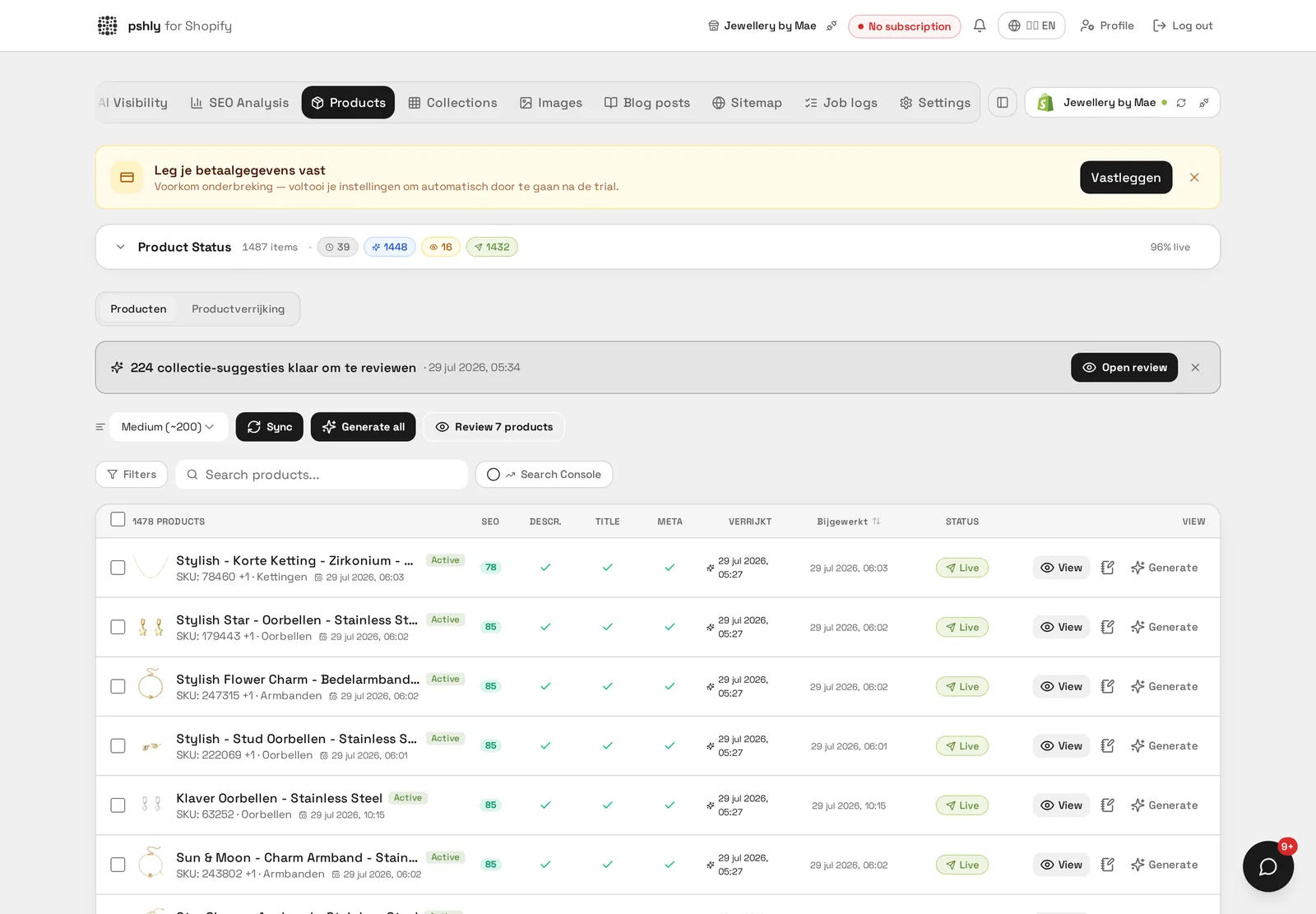
pshly.ai reads your existing Shopify catalog — product text, images, and current metafield state — and identifies exactly which of the checks above are failing per product. It then:
- Generates values for your defined metafields based on existing descriptions and image analysis (material, dimensions where visible, style attributes).
- Suggests the correct Shopify standard taxonomy category per product, rather than leaving it unmapped.
- Recognizes colors and materials from product photos and applies consistent variant naming and swatches.
- Writes optimized SEO titles and meta descriptions per product.
- Cleans up URL handles while automatically creating 301 redirects, preserving existing SEO value.
All of this is written back directly through the Shopify Admin API, into the same metafields, taxonomy fields, and variant options Shopify already provides — no separate database, no export file, no sync job to maintain. Shopify's own data model becomes your PIM layer, and pshly.ai is what actually keeps it filled and accurate.
When this is enough, and when it isn't
For a single-channel Shopify store, this approach typically covers everything a classic PIM would offer for distribution and structure, without the separate system. If you distribute the same catalog to several other channels with different schemas, you'll still want a PIM for that distribution layer — but even then, feeding it with cleaner Shopify data produced this way improves the output on every downstream channel. See our broader comparison in PIM vs. AI enrichment vs. manual work, and for background on what a PIM is built to solve in the first place, read Shopify PIM explained.
A minimal metafield set to start with
Starting with thirty metafield definitions stalls; starting with five almost always works. For a typical Shopify catalogue this is a workable starter pack: material, dimensions, audience or application, packaging unit, and a colour group for swatches. Those five cover the filters customers actually click and are exactly the fields marketing feeds need. At G&F Packaging, box format and flute type together accounted for most filter usage in the store — two fields that previously only existed in a separate datasheet.
Keeping data quality measurable
Set up a fixed monthly check on four counts: products without a category, products without a meta description, variants with a deviating colour name, and handles containing digits or supplier codes. Record those four numbers each month; as long as they drop, your process works. New products from a supplier feed are the biggest leak here, since they arrive without metafields and with a generic title. A recurring bulk job on new intake only closes that gap without rerunning the rest of the catalogue.
Conclusion
Shopify already gives you most of the structural building blocks of a PIM: metafields, standard taxonomy, and a variant model. What's usually missing isn't the schema, it's the discipline and time to fill it in consistently across an entire catalog. That's a data quality problem, and it's one AI enrichment is built to solve directly inside Shopify. Full setup details are in our documentation, and plan options are on the pricing page.