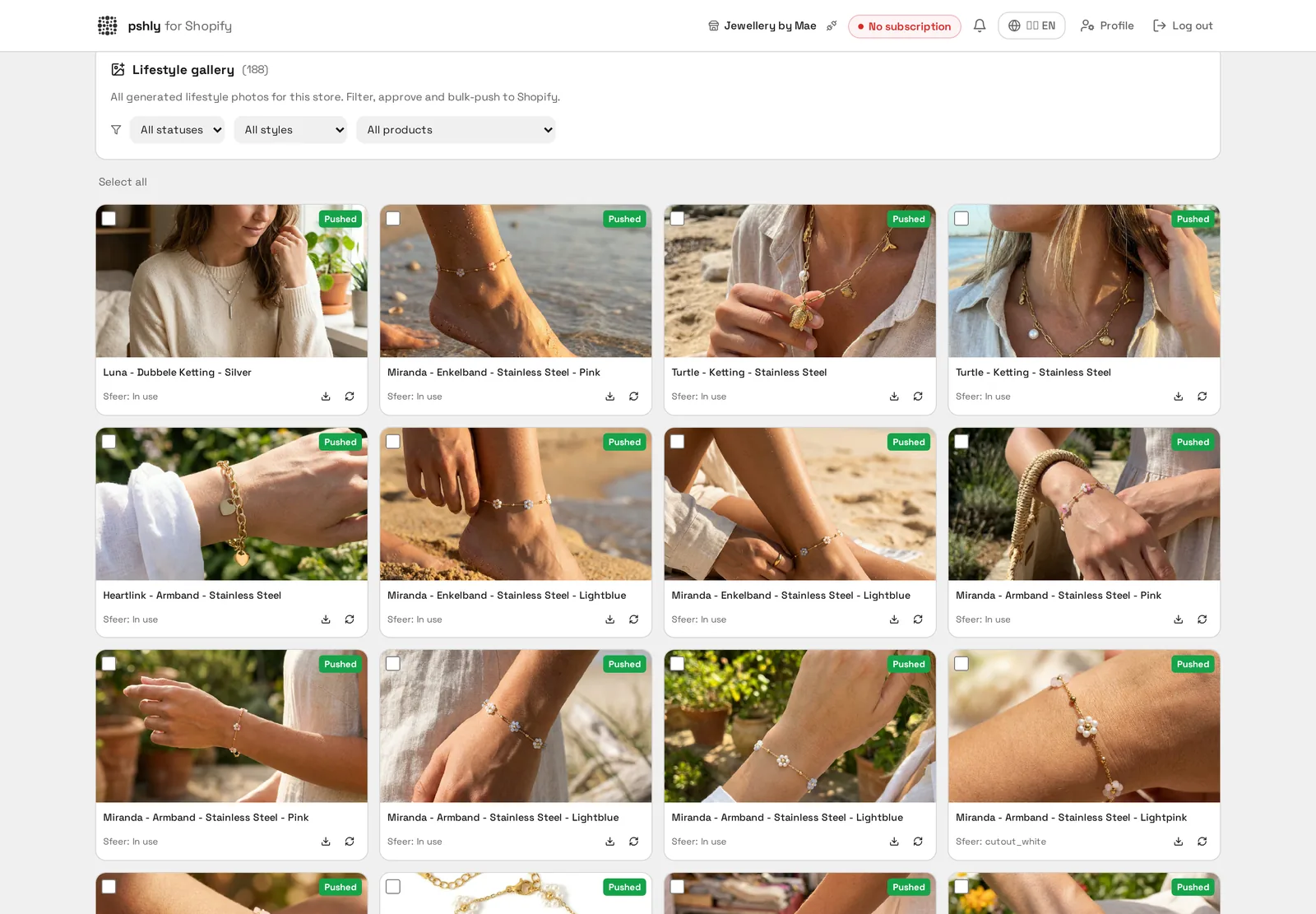
Visual content is your product's first impression. Yet most Shopify merchants still rely on flat supplier images or expensive photoshoots that cost thousands per month. With the new AI product photo generator you create professional imagery in any scenario in seconds — no studio, no models, no inventory headaches.
What the generator actually does
Starting from one existing product photo, AI generates variants of your product in a new context. The product's shape, colors and proportions stay identical — only the environment, lighting and composition change. That means you can show the same mug in a café scene, on a workspace and as a clean cutout on white, all from one source image.
The 8 presets explained
Each preset is calibrated for a specific goal. Choosing the right one is the difference between an image that converts and one that gets clicked away:
- In use — product in a realistic everyday moment. Strong for consumer goods and accessories.
- Studio — neutral studio with soft lighting. Perfect as the hero image on your product page.
- Outdoor — outdoor environment with natural light. Ideal for outdoor gear, bikes, garden furniture.
- Flat lay — top-down editorial styling. Works for fashion, beauty and lifestyle.
- Interior — placed in a modern interior. Essential for home & living products.
- Hospitality — used in a café, restaurant or hotel. Strong for tableware, glassware and hospitality items.
- Workspace — on a desk with laptop and notebook. For office, tech and stationery.
- Hand holding — close-up of hands holding the product. Builds trust and shows scale.
On top of that there are three pure pack-shot presets — cutout on white, cutout transparent and premium gradient — for marketplaces like Amazon and eBay where a clean white background is mandatory.
When to choose which preset
A rule of thumb: use a studio or cutout preset as the hero image (position 1) on your product page, then add 2-3 lifestyle presets for context. Marketplaces typically require a white background as the first image — use the cutout variant there. For social ads, an in-use or hand holding shot usually outperforms a pack-shot by 30-50%.
Custom prompts for maximum control
Beyond presets, you can add your own prompt for extra context. Think: "in a Scandinavian interior with warm afternoon light" or "next to a coffee cup on a marble bar". The preset sets the foundation, your prompt adds details. Keep prompts short and visual — describe what you want to see, not what you want to feel.
Bulk generation across your catalog
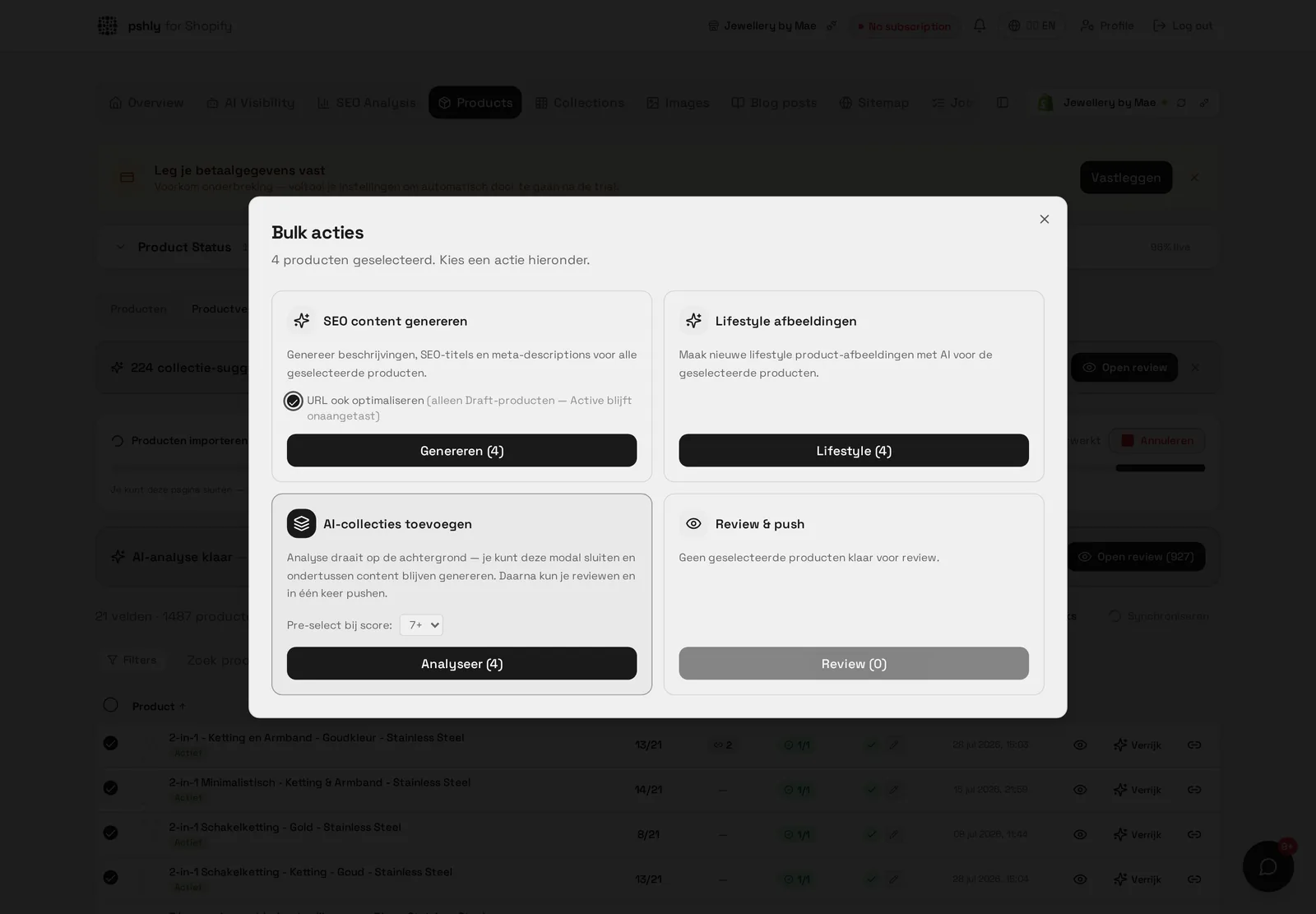
For shops with hundreds of products, per-product generation doesn't scale. With the bulk modal you select a filter (e.g. "all products in collection X"), pick a preset, number of variants and credit budget, and the generator runs in the background. Results appear in your gallery as they're ready — approve them one by one or batch-push them to Shopify as product media.
Don't forget the alt tags
Every new image needs a proper alt tag for SEO and accessibility. The alt tag generator runs automatically on newly uploaded images and uses product data as context — so you don't refresh your visuals only to leave SEO value on the table.
Combine with strong product copy
Image and text work together. A lifestyle scene only converts if the matching product description describes the same atmosphere and use case. Generate them in one workflow: text first based on product data, then visuals based on the same context.
Concrete results
- Product pages with 4-6 unique images instead of 1 supplier photo
- Marketplace listings that meet strict image requirements
- Fresh content for social ads without hiring a photographer
- Consistent visual style across all products and channels
- Up to 90% cost reduction vs traditional photoshoots
Getting started
Visit the AI product images feature for live examples or start free and generate your first lifestyle scene within five minutes.