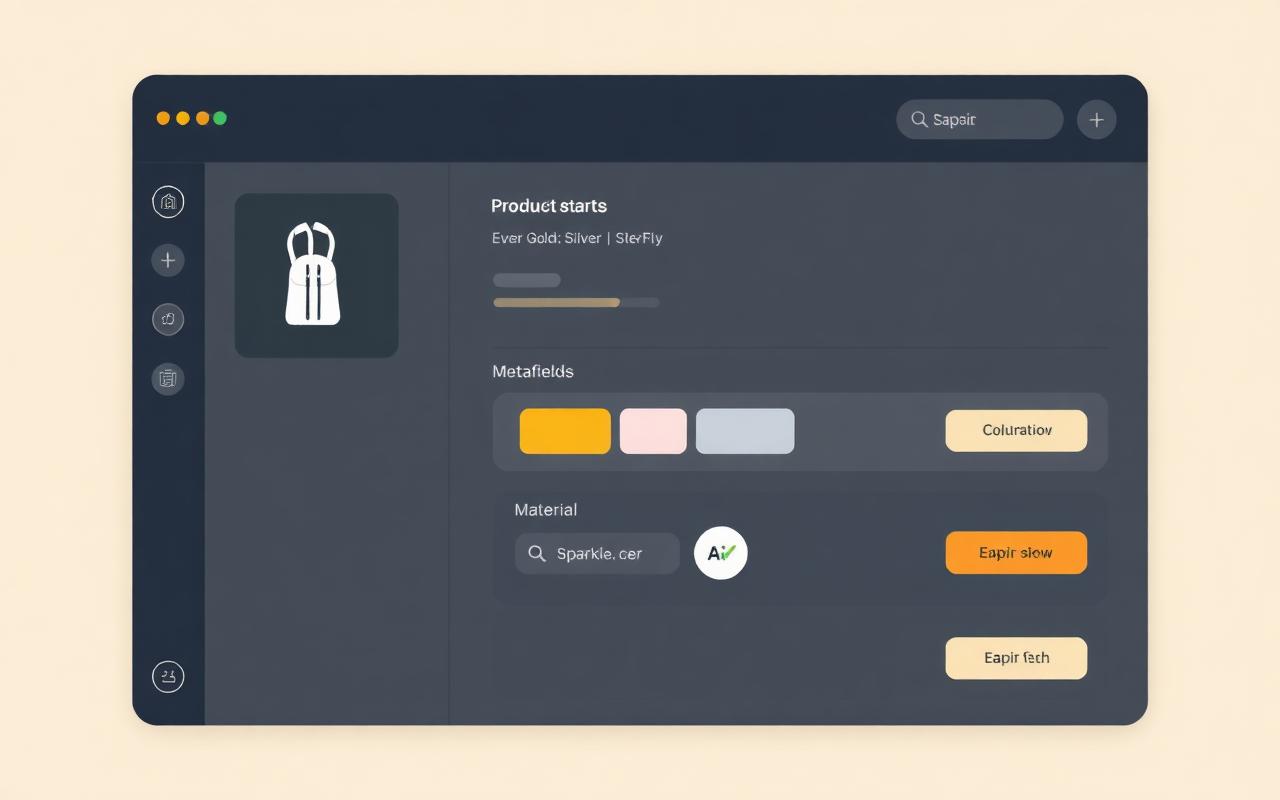
Without filled color and material metafields, Shopify variant swatches don't render — visitors see plain text instead of clean gold/silver buttons.
AI Product Enrichment
Enrich your entire Shopify catalog with AI — metafields, swatches, category and collections
Product enrichment is the execution layer of your Shopify PIM. Pshly.ai reads your product copy and looks at your product photos to fill the right metafields, links variant options to official color swatches, sets the right Shopify product category and assigns each product to the most relevant collections. All in bulk, with approval before push.
Start freeThe problem
A messy catalog hides your best products
Collection-page filters only work where products have metafields. Half-filled means invisible. And without a Shopify category the color/material metafields don't even show up.
With hundreds of products, items end up in the wrong collection — or in none — which costs you traffic, internal links and up-sell.
Manually filling metafields, finding categories and assigning collections for 500 products eats an entire working week.
The solution
One AI workflow for the whole catalog
Pshly.ai combines text analysis, image recognition and the official Shopify taxonomy in a single workflow. The AI reads title, description, variants and tags and also looks at your product images to determine color, material, shape and style. Variant options like 'Gold colour' get linked to Shopify's color-pattern metaobject so swatches just work, missing product categories are suggested from the official taxonomy, and the collection analysis shows you exactly which existing collections each product belongs to — applied in one click.
- AI extracts metafields from title, description, variants and your product images (vision)
- 13 default metafield definitions (color, material, season, style, shape, weight, dimensions…) or import your own Shopify fields
- Color swatches: links 'Gold' / 'Silver' to the official Shopify color-pattern metaobject — swatches work instantly on product and collection pages
- Automatic Shopify product category from the official taxonomy, applied with one click
- Collection analysis: AI scans your catalog and suggests the right collections per product — ideal for large catalogs
- 'Already analysed' filter prevents duplicate work in follow-up bulk rounds
- Bulk modal with progress bar, pre-approval and detailed error report
What the AI does
Four enrichments in one workflow
AI metafield enrichment
Fills color, material, season, style and dimensions automatically from all available product information.
Image recognition
No copy available? The AI looks at your product photo and extracts color, material and style from it.
Color swatches
Links variant options to the official Shopify color-pattern metaobject so swatches render instantly.
Shopify product category
Suggests and applies the right leaf category from the official Shopify taxonomy.
Collection analysis
Looks at every product and assigns it to the most relevant existing collections — perfect for large catalogs.
Bulk with approval
Select 50 or 5000 products, review the proposed changes and push to Shopify with one click.
How it works
From empty to fully enriched in 5 steps
1
Pick which metafield definitions to fill — use the 13 defaults or import your existing Shopify fields.
2
Select products and let the AI extract values per product from text and product images.
3
Link variant options (color, material) to the right Shopify metaobjects — auto-match handles 90% for you and swatches work instantly.
4
Apply missing product categories with one click from the official Shopify taxonomy.
5
Run the collection analysis to auto-assign products to the right collections, and bulk push everything back to Shopify.
The workflow
From empty metafield to published product data in 3 steps
Pshly.ai works in three fixed phases inside the PIM tab: first you decide which fields your store needs, then AI fills them in bulk, and finally you publish everything to Shopify under review.
Step 1
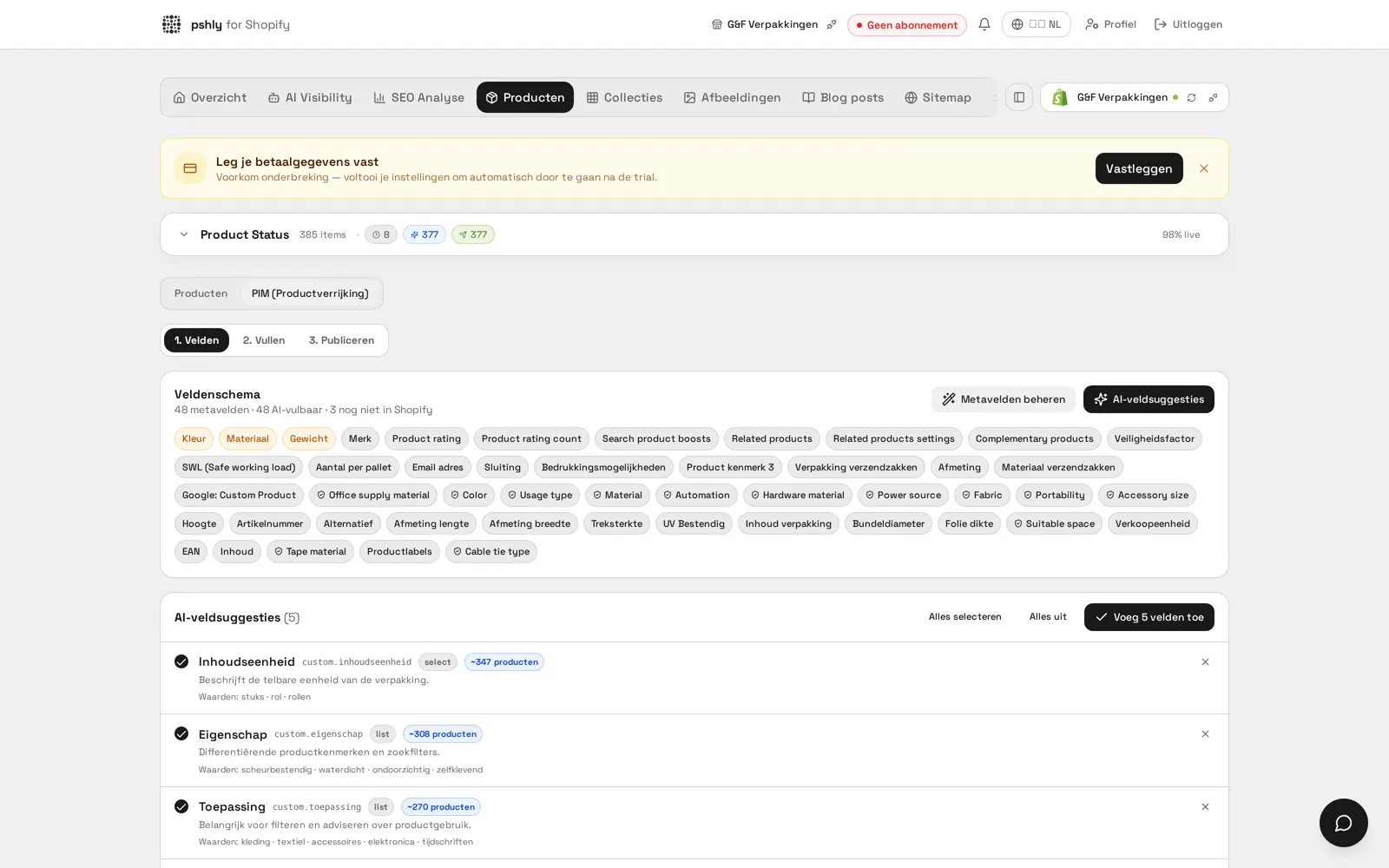
1. Fields — define your field schema
AI analyses your catalogue and suggests the metafields that fit your products, including type, namespace and example values. Existing Shopify metafields and taxonomy fields are detected automatically.
- AI field suggestions based on your real product titles, tags and descriptions
- Shopify taxonomy fields (colour, material, audience) are detected and reused
- Each suggestion shows how many products the field applies to
- Add and sync to Shopify in one click
Step 2
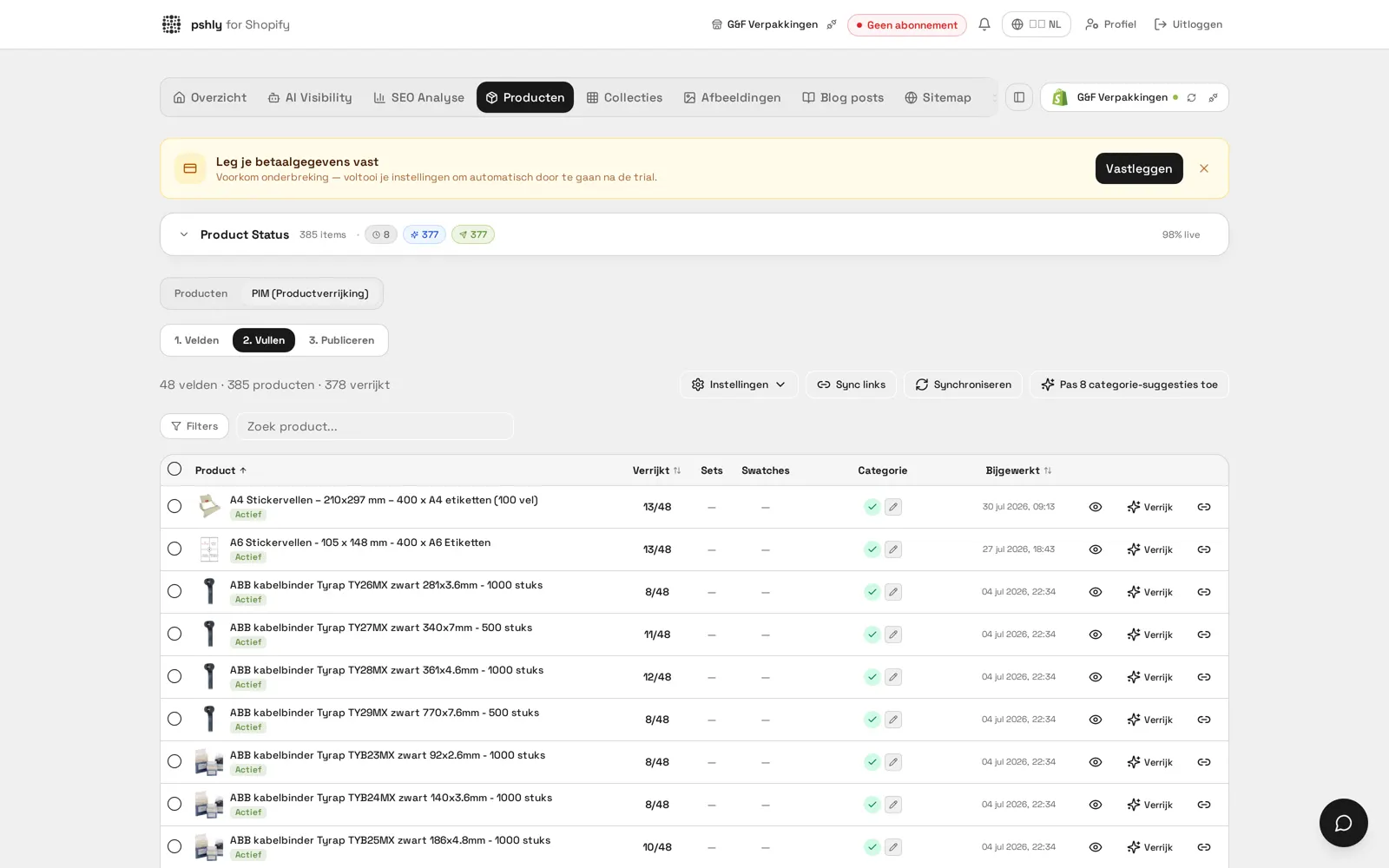
2. Fill — AI extraction in bulk
AI reads titles, descriptions, tags and product images and fills the metafields per product. Every value gets a confidence score, so you only review what is uncertain.
- Bulk enrichment of hundreds of products at once, handled server-side
- Confidence score and AI reasoning for every value
- Filter on low confidence (<70%) and correct in bulk
- Includes colour swatches, variants, category and linked sets
Step 3
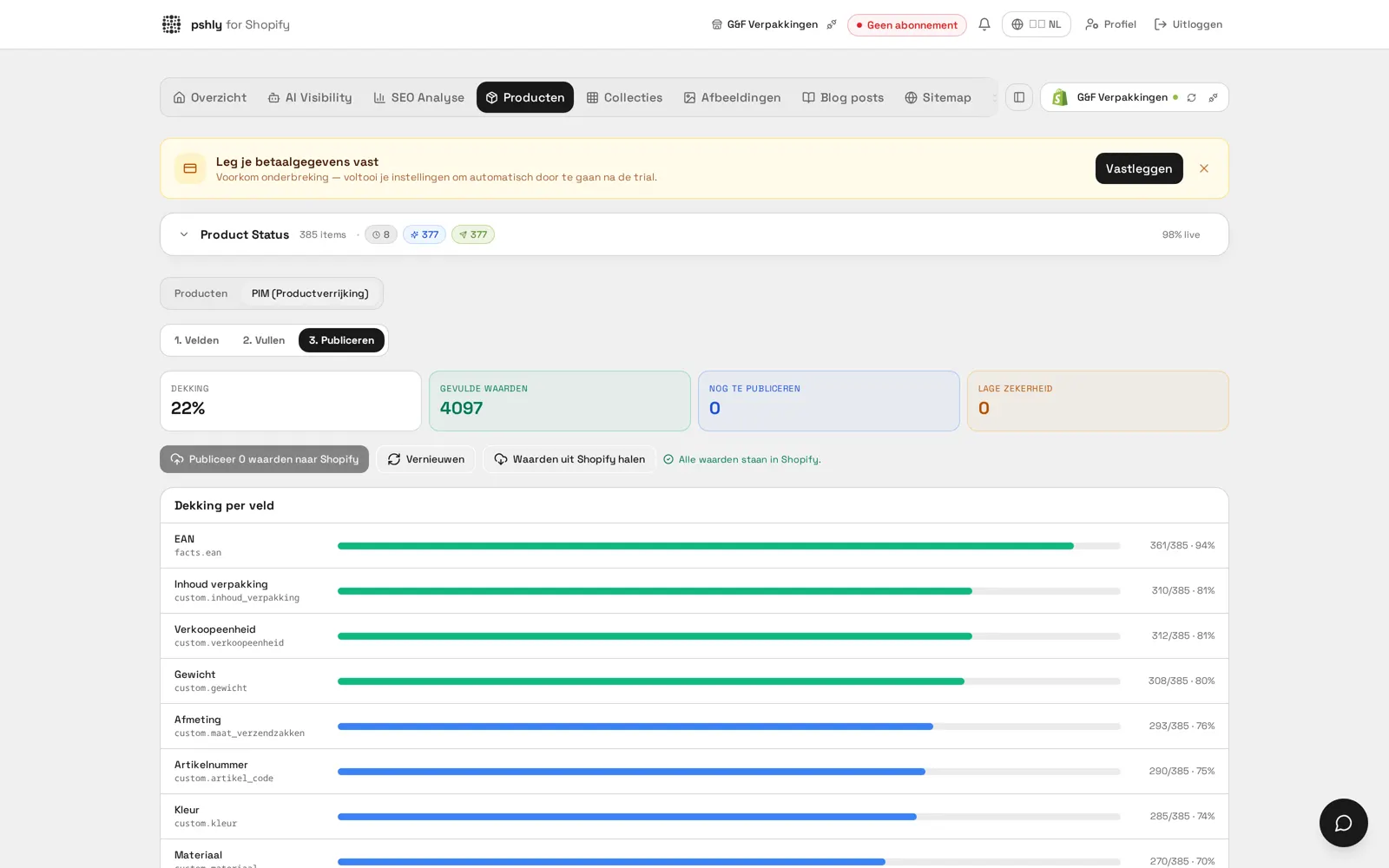
3. Publish — controlled push to Shopify
See exactly what percentage of each metafield is filled and push all approved values to Shopify in one batch. Whatever is missing shows up as an opportunity.
- Coverage overview per metafield with percentages and counts
- Publish thousands of values to Shopify in a single batch
- Only approved values go live — review stays mandatory
- Fully logged in the job logs, always traceable
ROI Calculator
Calculate how much you save with AI content
Find out in 10 seconds how many hours and how much money you save on product copy, collections, alt tags and blog posts.
Calculate my savingsFrequently asked questions
FAQ about AI product enrichment
What users say
Trusted by Shopify stores
"Our product content was a patchwork of styles. Pshly.ai standardized everything and the results in Google are clearly visible – we're growing every month."
Frank
founder of G&F Verpakkingen
"I expected it would take weeks to write all the content. With Pshly.ai, my entire store was filled with professional texts and blogs in no time."
Maelyn
founder of Jewellery by Mae
Everything about Shopify PIM and AI product enrichment
At Pshly.ai, product enrichment and PIM are one system: your product data lives in Shopify and is filled, enriched and optimised by AI. Dive deeper via the pillar page and the full PIM guides.
PIM guides and background articles
- Shopify PIM explained: what it is, and when you actually need one
- PIM vs. AI product enrichment vs. manual work: a full comparison
- Shopify as your PIM: metafields, taxonomy, and variants explained
- 5 practical Shopify PIM use cases, with real numbers
- Shopify PIM: what a classic PIM does and why pshly.ai goes further
Discover more
Related features
Ready to get started?
Enrich your entire catalog — metafields, swatches, categories and collections — in an afternoon instead of a working week.