Documentation

    Settings

    Configure prompts, language settings, metafields and company details.

    1Custom prompts

    Customize AI instructions for content that matches your brand:

    • Product prompt: Instructions for product descriptions.
    • Collection prompt: Instructions for collection texts.

    Examples: "Write informally", "Use bullet points", "Always mention material and dimensions".
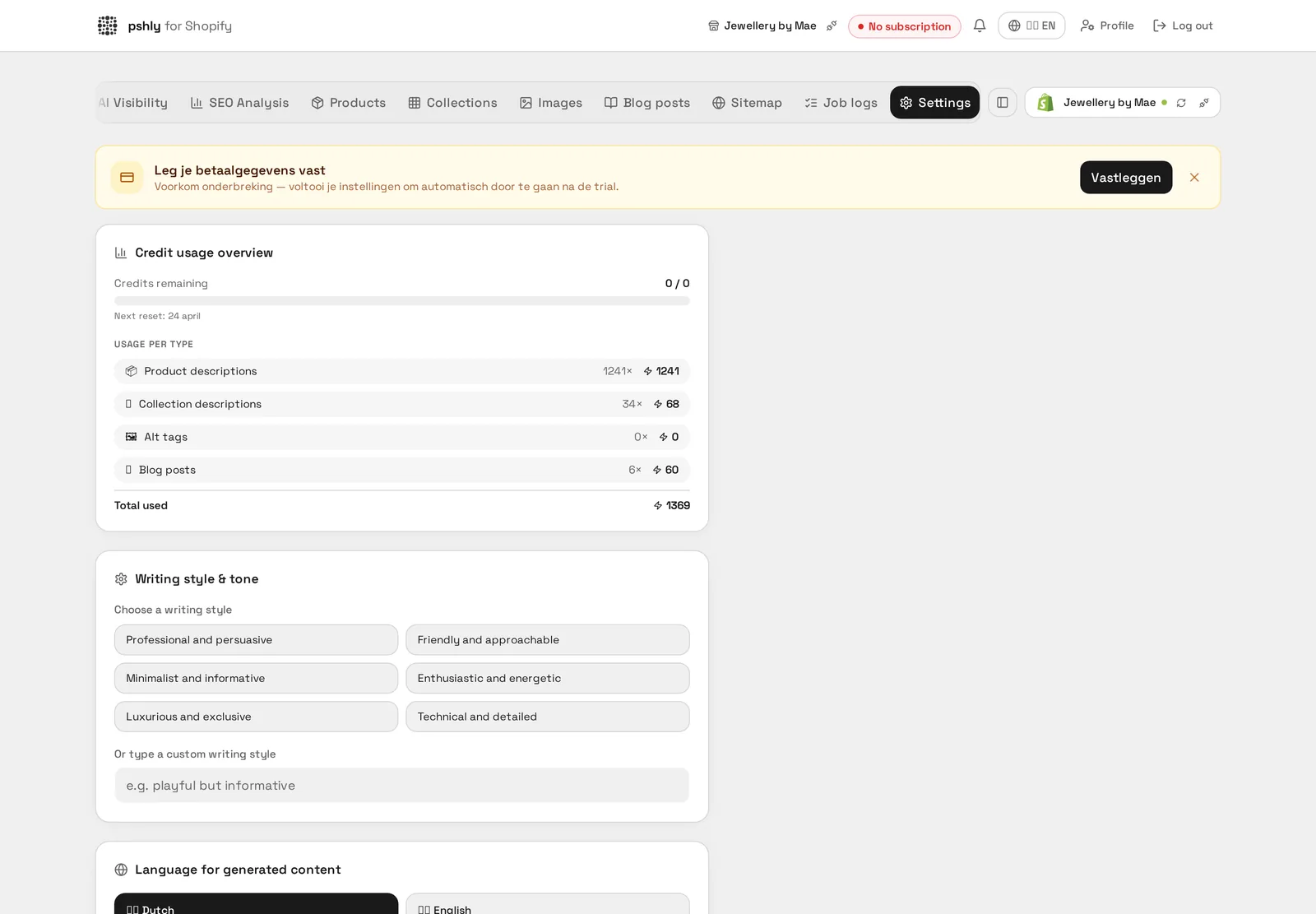
    Custom prompts

    Real-world example

    Fixed instruction: "always mention inner and outer dimensions". G&F Verpakkingen added this custom prompt so that every one of the 500+ descriptions automatically stated both the inner and outer dimensions of the shipping box.

    This prevented returns from customers who had ordered the box based on the wrong size.

    2Language settings (interface vs. content)

    Two independent language settings:

    • Interface language: Language of the Pshly.ai interface (NL, EN, DE, FR).
    • Content language: Language in which the AI generates content.

    These are independent — you can use the interface in English while generating content in Dutch.

    Language settings (interface vs. content)

    Real-world example

    Dutch fixed as the language for 512 products. Because G&F Verpakkingen sells exclusively to Dutch and Belgian businesses, the content language was fixed to Dutch instead of choosing it per product.

    This prevented a single English-language description from accidentally ending up among the rest of the catalog.


    3Metafield configuration

    Metafields are extra Shopify fields for additional content.

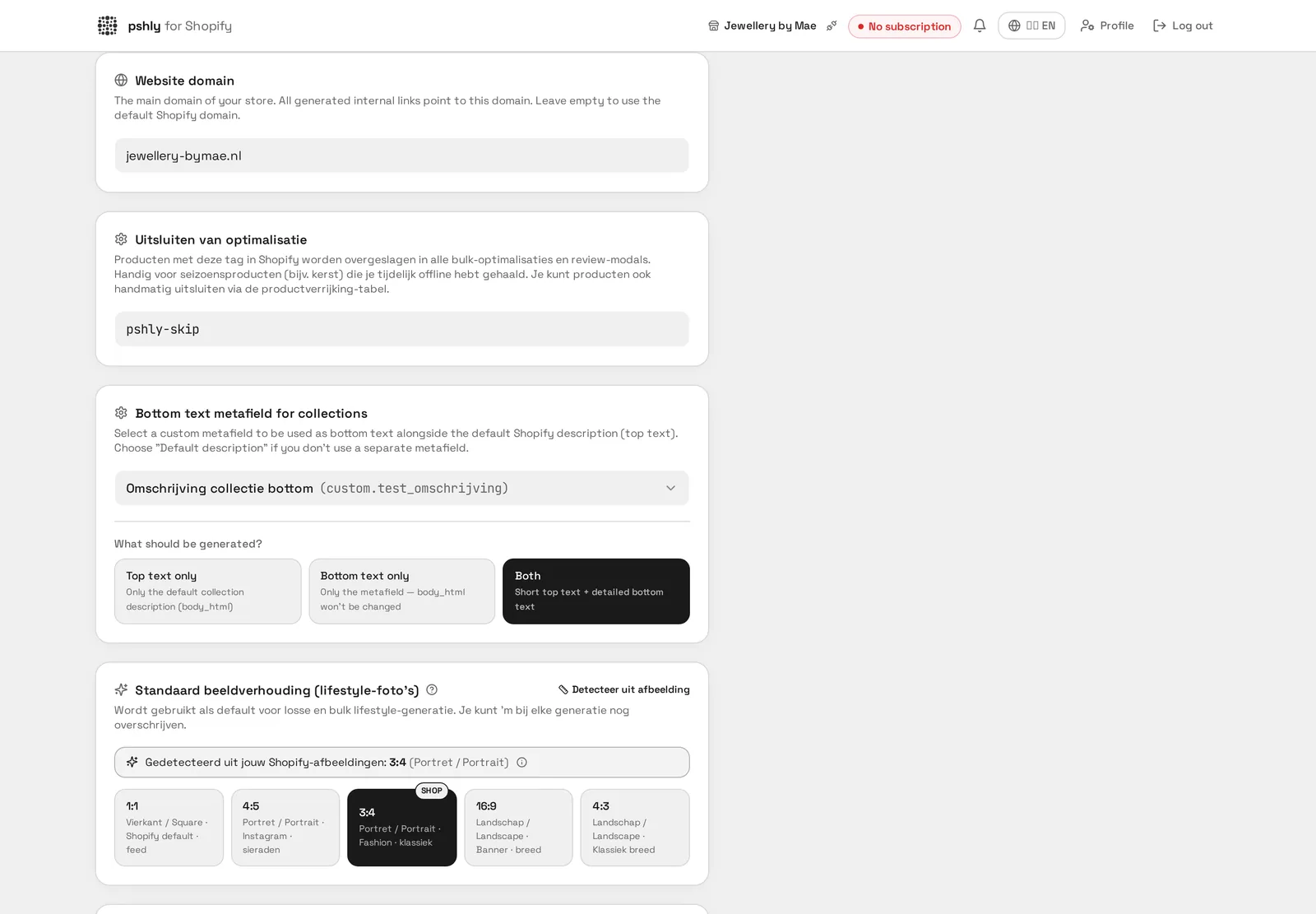
    • Metafield mode: 'Top text only', 'Bottom text only' or 'Both'.
    • Metafield key: The Shopify metafield key (e.g. custom.bottom_text).

    Pshly.ai automatically converts Shopify JSON Rich Text to HTML and back.

    Metafield configuration

    Real-world example

    Flute type and maximum load weight as separate metafields. For G&F Verpakkingen, these two fields were linked to Shopify metafields, making them filterable in the webshop independent of the description.

    Customers could then filter directly by "double wall" and a minimum load weight, without reading the whole product text.


    4Company information

    Add company info for more relevant AI content:

    • Company name and industry
    • Target audience and customer profile
    • USPs and brand values
    Company information

    Real-world example

    Company description: "B2B supplier of shipping boxes and packaging material". This company info for G&F Verpakkingen was used by the AI as context for every generation, making texts consistently address the business audience.

    Without this context, the AI initially wrote texts that were too consumer-oriented for what is a B2B webshop.


    5Writing style

    Choose a writing style:

    • Professional — Business-like and reliable
    • Casual — Informal and approachable
    • Luxury — Exclusive and premium
    • Playful — Lively and energetic
    • Technical — Detailed and specific
    • Informative — Educational and clear
    Writing style

    Real-world example

    From "Playful" to "Technical" after the first test run. For G&F Verpakkingen, the default writing style turned out not to fit a B2B audience mainly looking for specifications.

    After changing the writing style in the settings, dimensions and materials came through more prominently in the 500+ descriptions.


    6Website domain & sitemap URL

    Set your domain and sitemap URL so Pshly.ai can:

    • Generate correct internal links
    • Check your sitemap
    • Have context for the Citability Score
    Website domain & sitemap URL

    Real-world example

    gf-verpakkingen.nl set as the domain. By providing the correct domain, Pshly.ai could automatically check which pages were already indexed for G&F Verpakkingen and build the llms.txt correctly.

    An incorrectly set domain would otherwise have led to incorrect sitemap and structured data links.


    7Skip tag for exclusions

    Under Settings → Shopify you configure the skip tag (default pshly-skip). Any product with this tag is skipped in all optimisations and bulk jobs.

    Already using your own tag such as season-off? Enter it here; it applies from the next sync.

    Skip tag for exclusions

    Real-world example

    Default tag pshly-skip. Prefer your own naming, for example no-ai? Enter it in Settings; on the next import products with that tag are excluded automatically.


    8Min. score & max. suggestions

    Two settings control how strict AI suggestions are:

    • Min. score — suggestions below this confidence are hidden. Higher = fewer but more reliable.
    • Max. suggestions — how many collections or matching products are proposed per product (matching products default 2).
    Min. score & max. suggestions

    Real-world example

    Minimum score 70 and a maximum of 3 collections per product. This setting ensured that for G&F Verpakkingen, a shipping box was only suggested for relevant collections like "Single wall" and "Small shipping boxes", not for pallet covers.

    Without this threshold, the first test surfaced too many irrelevant collection matches.


    9Image aspect ratio

    For AI and lifestyle images you choose the aspect ratio: 1:1, 4:3 or 16:9.

    Note that how the image displays in your shop is decided by your Shopify theme. If your theme is landscape while you generate 1:1, the theme crops the image. Set your theme to aspect-ratio: 1/1 or pick the ratio that matches it.

    Image aspect ratio

    Real-world example

    Square (1:1) set for 512 product photos. Because the photographer for G&F Verpakkingen had photographed all shipping boxes square, the aspect ratio setting was matched to this for consistent alt-tag analysis.

    This prevented skewed image analysis on images that would otherwise be cropped differently.


    10Pricing settings

    Price changes made in Pshly go straight to Shopify, so keep in mind:

    • Bulk price changes apply to all variants of the selected products.
    • Always check the preview before confirming.
    • Use the per-product variant price editor for exceptions.
    Pricing settings

    Real-world example

    Prices shown including VAT for B2B customers. G&F Verpakkingen set price mentions in generated texts to match their invoicing method for business customers.

    This prevented confusion among customers expecting prices excluding VAT based on earlier texts.